Files form the ground
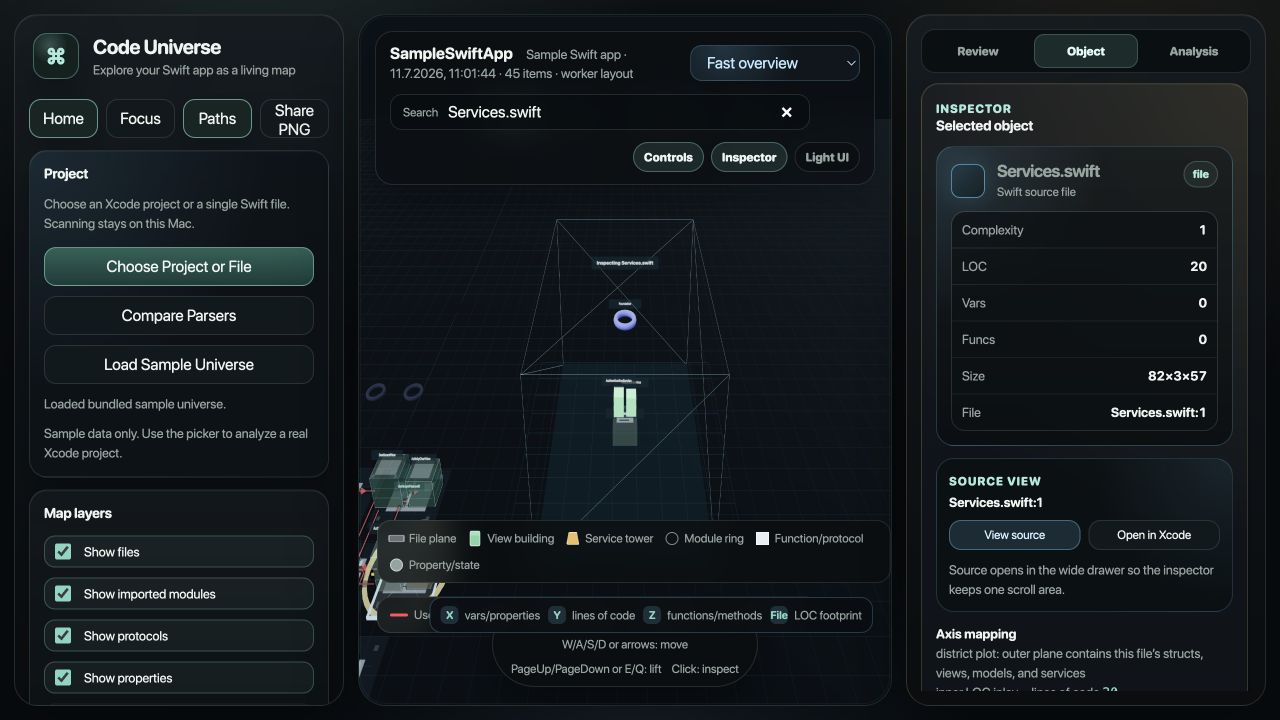
Each rectangular plane reflects the file's size and footprint.
Code Universe turns your Swift project into an interactive 3D architecture map—so files, types, dependencies, and complexity become visible at a glance.
Every object has a place and a scale. The map reflects real code structure instead of flattening it into another diagram.
Each rectangular plane reflects the file's size and footprint.
Views, models, structs, and services sit over their source file.
Height and footprint reveal LOC and complexity differences.
Open a type to inspect functions, properties, and variables.
Code Universe now connects architectural context with an observable Codex review trace—without turning the map into another terminal log.
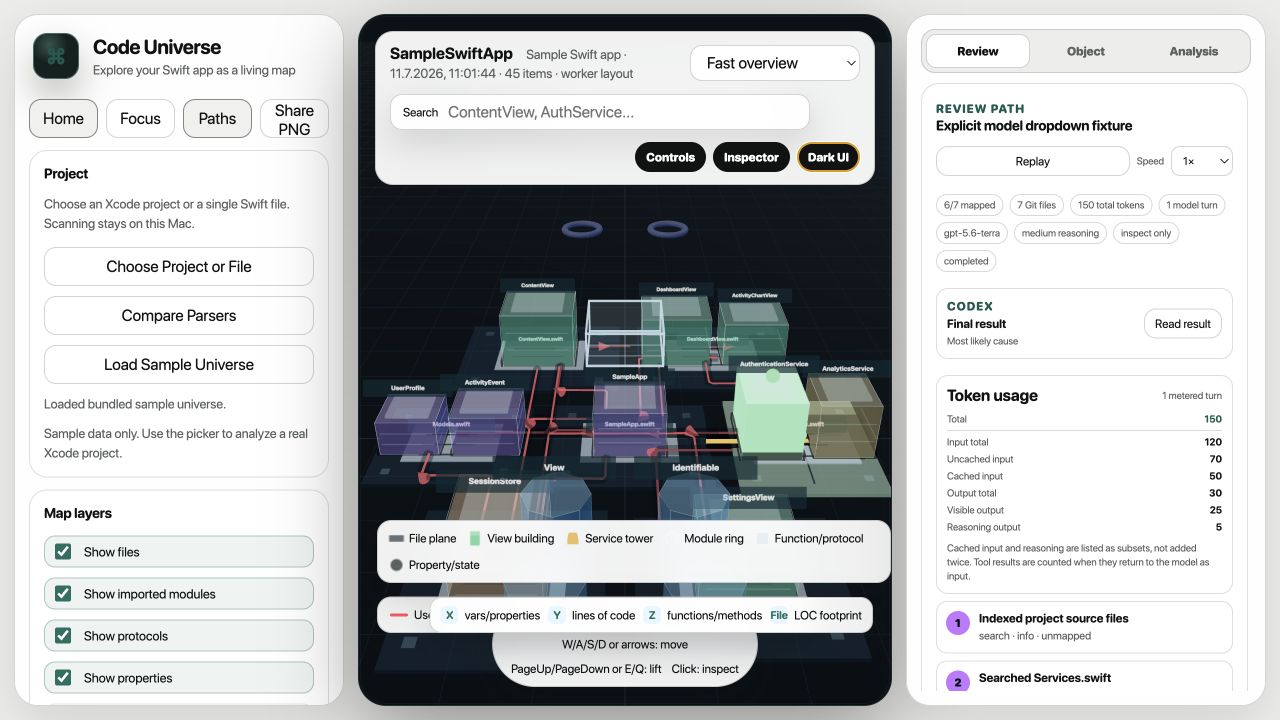
Watch searches, inspections, suspected files, edits, builds, tests, and the conclusion move across the code city in order.
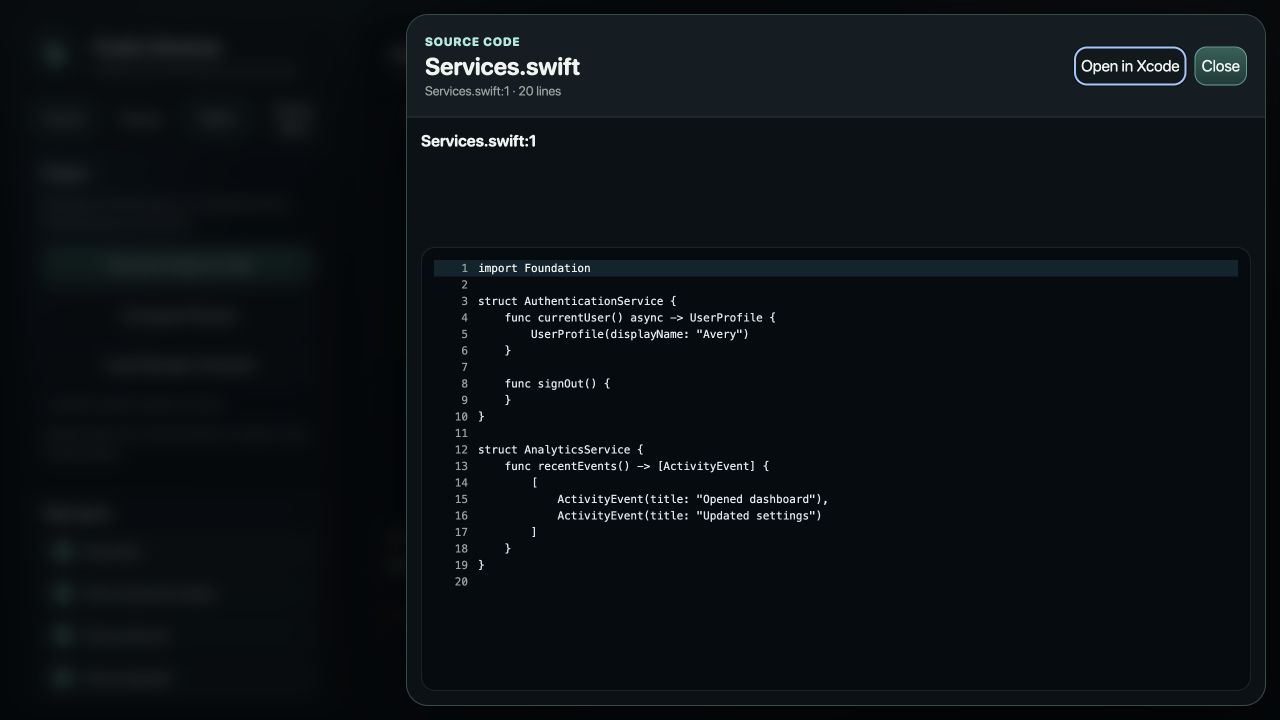
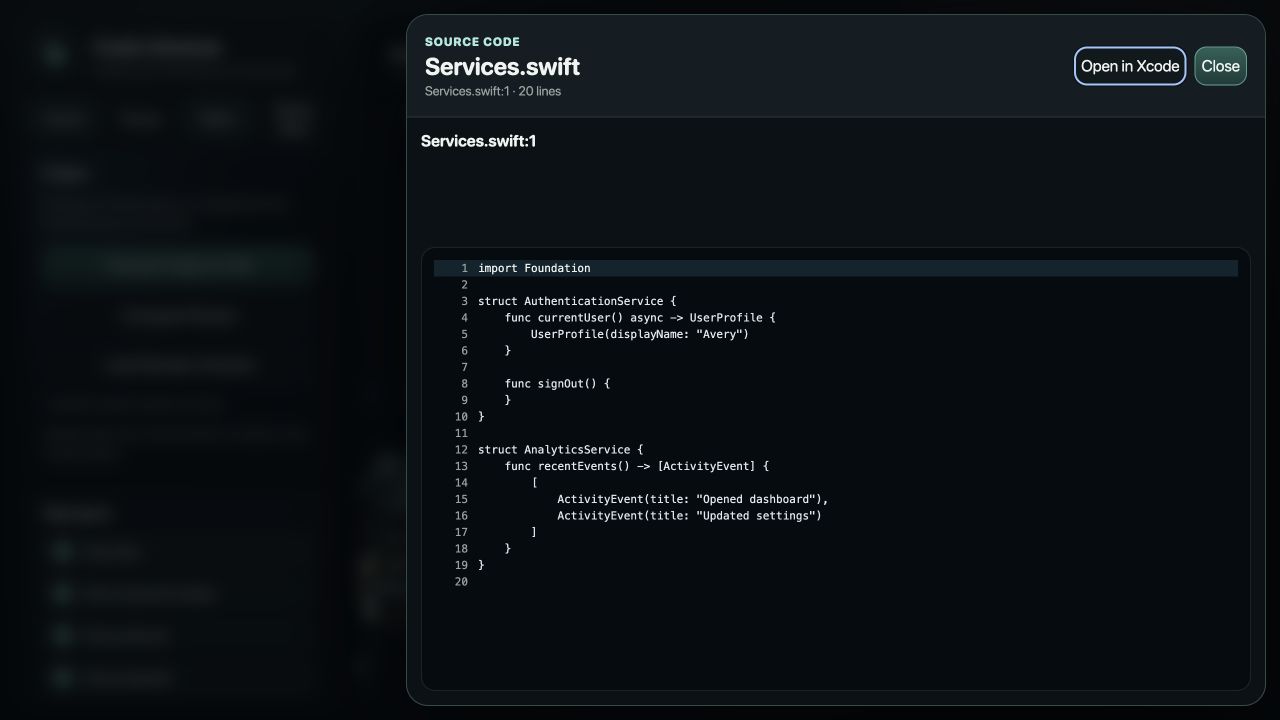
Open review-scoped Git patches, added and removed lines, complete source files, and the corresponding location in Xcode.
Select the Codex model and reasoning level per review, then see input, cached input, output, reasoning, and total token use.
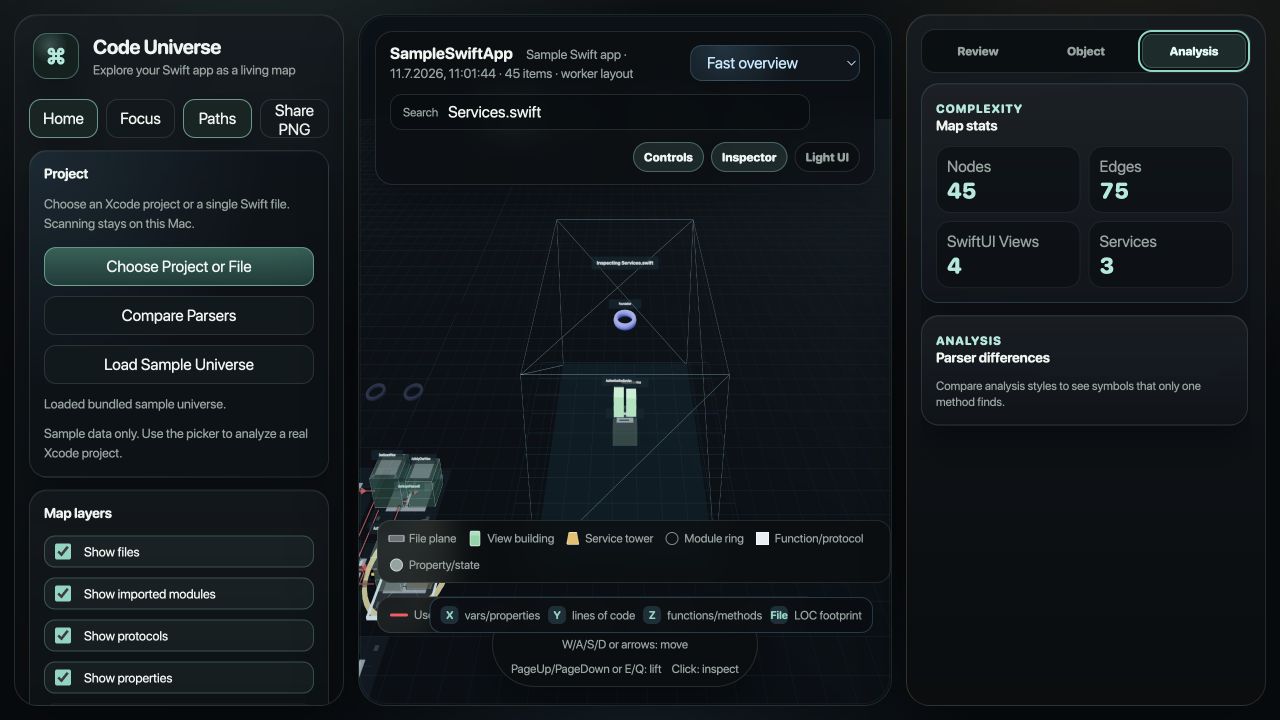
Review, Object, and Analysis tabs keep the inspector focused. Reports, diffs, and source share one wide, readable drawer.
Move from the architectural landscape to a Codex trace, a selected object, project statistics, and the exact Swift source—without losing the project context.
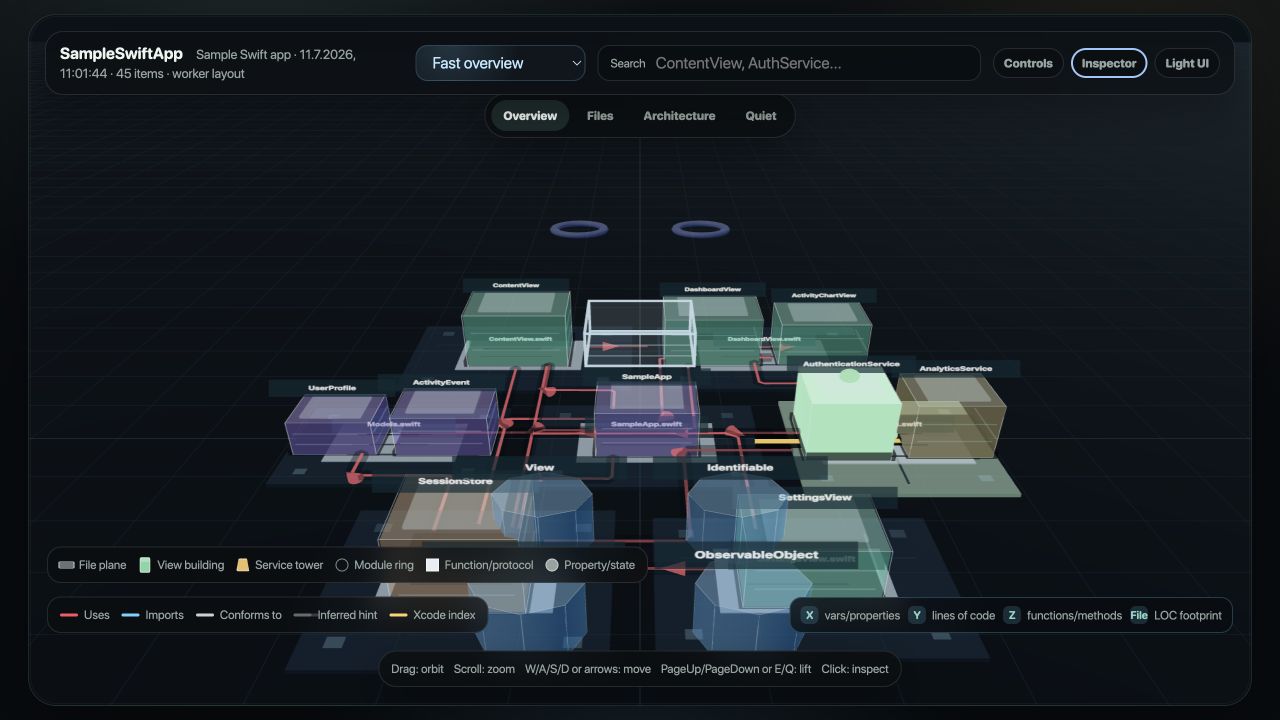
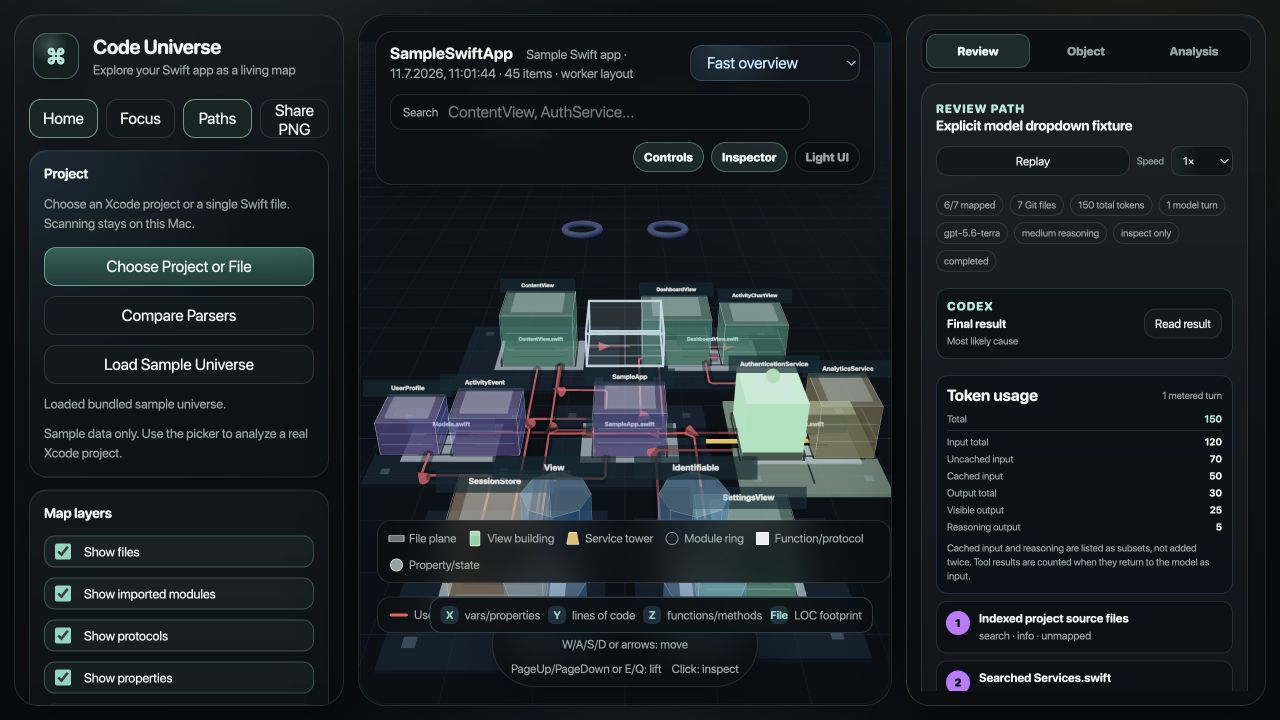
Open a local project and let Code Universe map its files, declarations, metrics, and relationships.
Spot dense features, outsized types, structural gaps, and dependency paths without hunting through tabs.
Select any object for focused detail, then move from the architectural overview back into source.
Less time navigating code. More time understanding it.
Useful for onboarding, architecture reviews, refactoring, and exploring unfamiliar Swift, SwiftUI, iOS, or macOS projects.